

I spent ten hours last week trying to fix a flickering light in a client’s interview before I realized my AI plugin could solve it in about thirty seconds. I felt like a dinosaur holding a stone tool while my computer was ready to build a skyscraper for me.
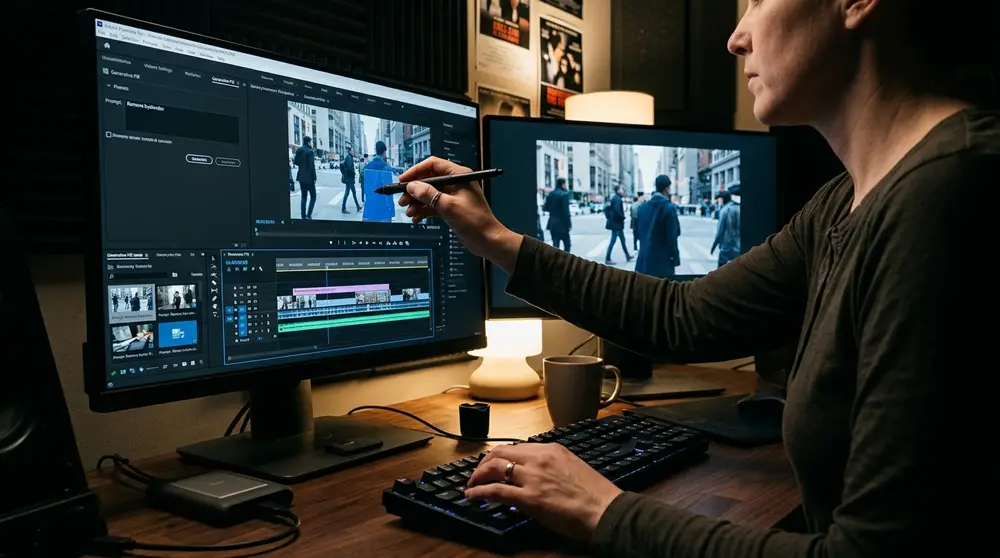
The 10 best AI video editing software for pro-quality results in 2026 are Adobe Premiere Pro, DaVinci Resolve 19, Descript, Runway Gen-3, CapCut Desktop, Filmora 14, InVideo AI, Synthesia, Topaz Video AI, and Luma Dream Machine. These tools utilize advanced neural engines to automate rotoscoping, color grading, and generative b-roll, significantly reducing post-production timelines for professional agencies.
Key takeaways
- Adobe Premiere Pro and DaVinci Resolve remain the industry leaders for integrating AI into traditional non-linear editing workflows.
- Generative AI tools like Runway and Luma Dream Machine are now essential for creating high-end cinematic b-roll from text prompts.
- Topaz Video AI is the definitive choice for professional-grade upscaling, motion deblurring, and frame rate conversion.
- Text-based editing in Descript has become the standard for rapid dialogue-heavy content creation and podcasting.
What defines pro-quality AI video editing software in 2026?
Back in 2023, "AI video" usually meant a shaky, weird-looking clip that looked like a fever dream. Today, pro-quality means the AI is invisible. It’s about tools that handle the grunt work—like masking a moving subject or matching color between two different cameras—without leaving artifacts behind.
We’ve moved past simple filters. The best software now uses deep neural engines that understand the physics of light and motion. If you tell an AI to extend a shot by two seconds, it doesn't just freeze the frame; it predicts how the person's hair should move and generates those new pixels realistically.
For my agency, "pro" also means reliability and control. I don't want a "make movie" button. I want a tool that lets me tweak the AI’s suggestions. If the auto-color is too warm, I need to be able to pull back the highlights manually without the software fighting me.
How top-tier AI tools compare: Features and pricing
Choosing the right tool depends entirely on where you spend most of your time. If you’re a colorist, you’ll live in Resolve. If you’re a social media manager, CapCut or Descript will be your best friends. I’ve broken down the current 2026 pricing and core strengths below.
| Software | Primary AI Strength | Best For | 2026 Pricing (Est.) |
|---|---|---|---|
| Adobe Premiere Pro | Generative Extend & Firefly | Full-scale productions | $22.99/mo |
| DaVinci Resolve 19 | Magic Mask & Audio AI | Colorists & Filmmakers | Free / $295 once |
| Descript | Text-based editing | Podcasts & Talking heads | $15/mo |
| Runway Gen-3 | Generative B-roll | VFX & Concept work | $12/mo |
| Topaz Video AI | Upscaling & Restoration | Fixing old or poor footage | $299 once |
Pricing has stabilized quite a bit this year. Most companies have moved away from "credits" for basic features and only charge them for heavy generative tasks. This makes it much easier to budget for a long-term project without worrying about hitting a wall mid-edit.
1. Adobe Premiere Pro: The powerhouse of AI-integrated workflows
Adobe didn't try to reinvent the wheel; they just put a motor on it. The new Firefly Video Model inside Premiere is what I use when a client sends me a clip that’s just a half-second too short for the transition. I can literally drag the end of the clip, and the AI generates the extra frames.
I remember the first time I tried Generative Extend on a person’s face. It looked a bit "uncanny valley" because the eyes didn't blink right. Since then, I’ve learned to use it mainly for backgrounds, slow pans, or hands. It’s a lifesaver for fixing those awkward "jump cuts" in interviews.
The audio side is just as impressive. The "Enhance Speech" feature is so good now that I stopped using my expensive outboard noise gates. It can take a recording done on an iPhone in a windy park and make it sound like it was done in a sound booth.
Check out the latest updates on the official Adobe Premiere site to see how they’ve integrated the 2026 Firefly updates. It's become much more stable than the early beta versions we saw last year.
2. DaVinci Resolve 19: Mastering the DaVinci Neural Engine
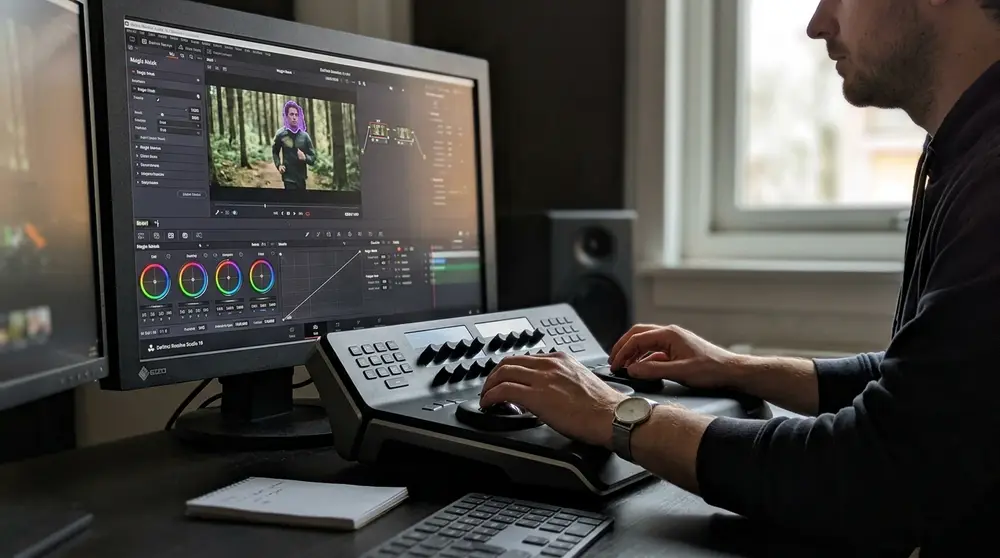
Resolve has always been the king of color, but their Neural Engine is what keeps me from switching. The Magic Mask tool is something I use daily. I can draw a rough stroke over a person, and the AI tracks them perfectly through the shot, allowing me to adjust the background separately.
I once had to change the color of a car in a high-speed chase scene. Doing that frame-by-frame would have taken me a week. With the AI-powered IntelliTrack in Resolve 19, I finished the tracking in ten minutes. It’s scarily accurate, even when the subject goes behind a tree or another car.
The new "Speed Warp" feature is another highlight. If you didn't shoot at a high frame rate but want that slow-motion look, Resolve's AI calculates the missing frames. Unlike old-school optical flow, it doesn't create those weird "melting" artifacts around moving limbs.
3. Descript: The gold standard for text-based professional editing
If you hate looking at waveforms, Descript is for you. It turns your video into a Word document. When you delete a sentence in the text, it deletes it in the video. It sounds simple, but it has completely changed how I edit my YouTube content and client testimonials.
Their "Underlord" AI assistant is the star of the 2026 version. I can ask it to "remove all the parts where I sound bored," and it actually analyzes my pitch and pace to trim the fat. It’s not perfect, but it gets the first draft about 90% of the way there.
One mistake I made early on was relying too much on "Overdub," their AI voice replacement. I tried to fix a wrong word I said, but the tone didn't match my energy in the rest of the clip. Now, I only use it for short, one-word corrections rather than full sentences.
4. Runway Gen-3 Alpha: Leading the generative video revolution
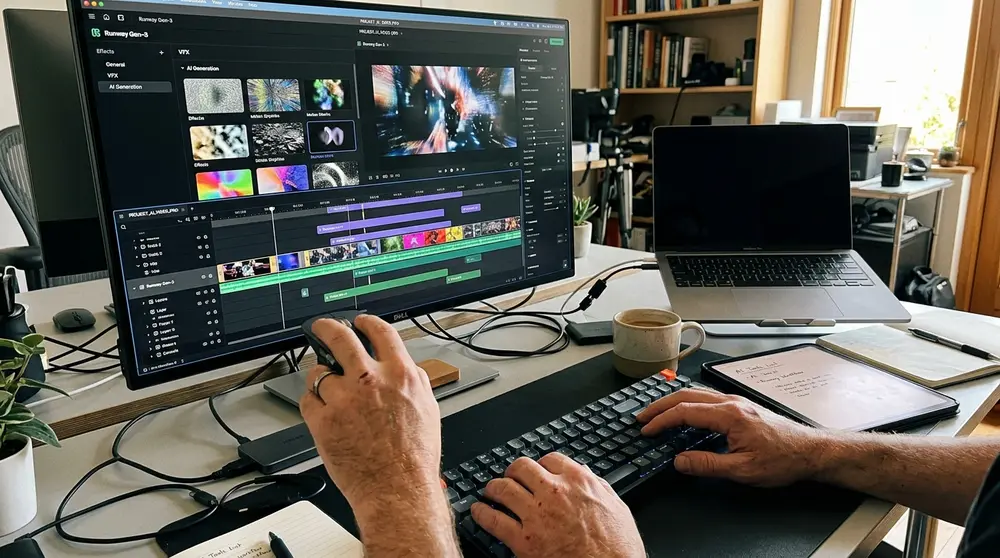
Runway isn't a traditional editor; it’s a creation engine. When I’m missing a specific b-roll shot—like a close-up of a futuristic city or a specific bird flying—I just type it in. The Gen-3 Alpha model produces footage that actually looks like it was shot on a cinema camera.
What surprised me most was the "Motion Brush." You can take a still photo and just paint the areas you want to move. I used it for a luxury real estate video to make the pool water ripple and the clouds drift. It saved us from having to book a second day of shooting.
It’s important to stay updated with their product blog because they drop new "Directing" tools almost every month. The level of control we have now over camera angles and lighting within an AI prompt is something we only dreamed of two years ago.
5. CapCut Desktop: Why pros are using it for high-speed social content
I used to look down on CapCut as a "phone app," but the desktop pro version is a beast for social ads. Their AI auto-captioning is the fastest in the business, and it’s become my go-to for anything destined for TikTok or Instagram Reels. The 2026 templates are actually tasteful, too.
The "Script-to-Video" feature is what I use when I’m in a rush. I paste in a script, and it finds relevant stock footage, adds captions, and places a background track. I usually swap out about half the clips it chooses, but it saves me the hour I’d spend hunting for base footage.
One practical tip: don't just use the default "AI movement." CapCut has a habit of making everything "bounce" too much. I always go into the settings and dial back the intensity to about 30% to keep it looking professional rather than "meme-ish."
6. Wondershare Filmora 14: Balancing automation with creative control
Filmora 14 has hit a sweet spot for small agencies. It’s much cheaper than the Adobe suite but includes an "AI Copilot" that actually helps. I can talk to it like a chat bot and say, "Make this scene look like a 90s horror movie," and it will apply the right LUTs and grain.
The Smart Cutout 2.0 is another tool I rely on. It’s faster than Premiere’s rotobrush for simple subjects. I used it recently to put text behind a running athlete. It took three clicks and held the mask perfectly even when the athlete’s jersey was flapping in the wind.
The AI music generator is also surprisingly decent. It creates royalty-free tracks based on the mood and duration of your clip. It’s not going to win a Grammy, but for a 30-second corporate background track, it beats paying for another stock music subscription.
7. InVideo AI: Transforming prompts into production-ready drafts
InVideo is my "emergency" tool. When a client needs a video "by yesterday" for an internal meeting, I use this. You give it a prompt like, "Create a 2-minute video about our Q3 sales goals with an upbeat tone," and it handles the rest. It pulls from a massive library of stock footage.
The 2026 update allows for much better "cloning" of your own voice. I spent an hour training it on my voice, and now I can generate voiceovers that actually sound like me. It even gets my weird stutters and inflections right, which makes the videos feel more authentic.
I’ve learned to be very specific with the prompts. If you just say "make a video about dogs," it’s going to be generic. If you say "make a video about the history of Golden Retrievers using cinematic, slow-motion footage," the result is ten times better.
8. Synthesia: Professional corporate communication with AI avatars
Synthesia is the only tool on this list I use for purely corporate work. We use it for training videos where we don't want to hire an actor every time a policy changes. You just type the script, and the AI avatar speaks it with perfect lip-syncing.
The 2026 avatars are incredible. They now have "micro-expressions," so they blink, tilt their heads, and look like they’re actually thinking. It’s a huge step up from the "dead-eyed" versions we had a couple of years ago. You can even create an avatar of yourself.
A mistake I see people make is using the default "neutral" setting for everything. If you’re delivering bad news or high-energy news, you need to toggle the "Emotion" settings. A smiling avatar telling people their benefits are being cut is a quick way to upset an entire company.
9. Topaz Video AI 5: Essential for restoration and upscaling
Topaz is different because it doesn't have a timeline. It’s a specialized tool for fixing footage. I recently had a client provide a "hero shot" that was accidentally filmed in 720p and was slightly out of focus. Topaz upscaled it to 4K and sharpened the eyes so well you couldn't tell.
The "Iris" model in version 5 is specifically tuned for faces. It’s the best I’ve seen at reconstructing detail without making people look like they’re wearing a thick layer of digital makeup. However, you need a very powerful GPU to run this; on my old laptop, a 10-second clip took two hours.
I once made the mistake of trying to "over-fix" a grainy night shot. I turned the noise reduction up to 100, and the person's skin looked like plastic. Now, I always keep a little bit of the original grain. It makes the final result feel like real film instead of a digital recreation.
10. Luma Dream Machine: Cinematic physics in AI video generation
Luma is the newcomer that took everyone by surprise. Its "Dream Machine" is what I use when I need generative video that obeys the laws of physics. If a ball bounces in a Luma-generated clip, it actually looks like it has weight and momentum.
I use it mostly for VFX-style shots. For example, if I need a shot of a cup breaking on the floor in slow motion, Luma can generate that from a single photo of the cup. The way it handles reflections and shadows is far more realistic than most other generative tools.
The 2026 version has a "Keyframe" feature that lets you set the start and end images. This is huge for consistency. You can take two photos of a product from different angles and have the AI "fill in" the camera move between them perfectly.
How do I choose the best AI video editor for my agency?
Don't try to buy everything at once. I started with just Premiere and added tools as the pain points appeared. If you’re doing high-end commercial work, you need the control of Resolve or Premiere. If you’re a solo creator, Descript and CapCut will save you more time than any other tool.
Think about your output. If you’re making 50 TikToks a week, you don't need the 8K upscaling of Topaz. You need the auto-reframing and captioning of CapCut. Always prioritize the tool that removes the specific "boring" part of your personal workflow.
I also recommend checking out Blackmagic Design's forums. Seeing how other pros are combining these tools is where I get most of my workflow ideas. There is no "perfect" tool, only a perfect stack of tools for your specific job.
The ROI of switching to an AI-first editing suite
The biggest return on investment isn't the software cost; it’s my time. In 2024, a standard corporate video took me about 20 hours of focused work. In 2026, with these tools, I’m down to about 6 hours for the same quality level. That’s a massive jump in profit margin.
It also allows me to say "yes" to projects I used to turn down. I can handle a client who needs a video in four languages because Synthesia handles the dubbing and lip-syncing automatically. I’m not just an editor anymore; I’m more like a creative director over a team of AI assistants.
However, the cost of hardware is the hidden factor. To run these neural engines locally, I had to invest in a high-end workstation. You can do some of it in the cloud, but for pro work, having a local machine that can render AI masks in real-time is a necessity, not a luxury.
Future-proofing your creative skills as AI evolves
I get asked all the time if I’m worried AI will take my job. Honestly? No. The AI is a great "doer," but it’s a terrible "decider." It can mask a subject perfectly, but it doesn't know *why* that subject should be isolated or how that shot should make the audience feel.
Your value in 2026 is in your taste and your ability to prompt. Knowing that a scene needs a "Dutch angle with 35mm grain" is a human skill. The AI just executes the request. The more I use these tools, the more I realize that my creative vision is actually more important now than it was when I was struggling with manual tools.
The best way to stay relevant is to keep playing. I spend an hour every Friday just testing new models and seeing where they break. If you know the limitations of the tech, you know how to push it to its edge without making something that looks "cheap" or "AI-generated."
The most powerful tool in your edit suite isn't the software; it's the person knowing which button not to press.
Keep your eyes on the story, and let the machines handle the pixels.
Leave a comment